
 English
 Türkçe
 Русский
Download
All files are on the GitHub releases page, with SHA-256 checksums.
On a phone? DPIMech for Android runs ByeDPI for the apps you choose, without root.

Fedora: add the COPR repository once;
after that DPIMech updates with the rest of the system (sudo dnf upgrade).
sudo dnf copr enable halilkahraman/DPIMech
sudo dnf install dpimech
Arch, CachyOS, EndeavourOS, Manjaro: there is an Arch package (dpimech-bin), but it is
not on the AUR yet: the AUR takes no new accounts at the moment. The same package is attached to every release
instead: download dpimech-bin-<version>-1-x86_64.pkg.tar.zst from the
releases page and install it (pacman brings the
dependencies; DPIMech tells you when a new version is out):
sudo pacman -U ./dpimech-bin-*-x86_64.pkg.tar.zst
What is it?
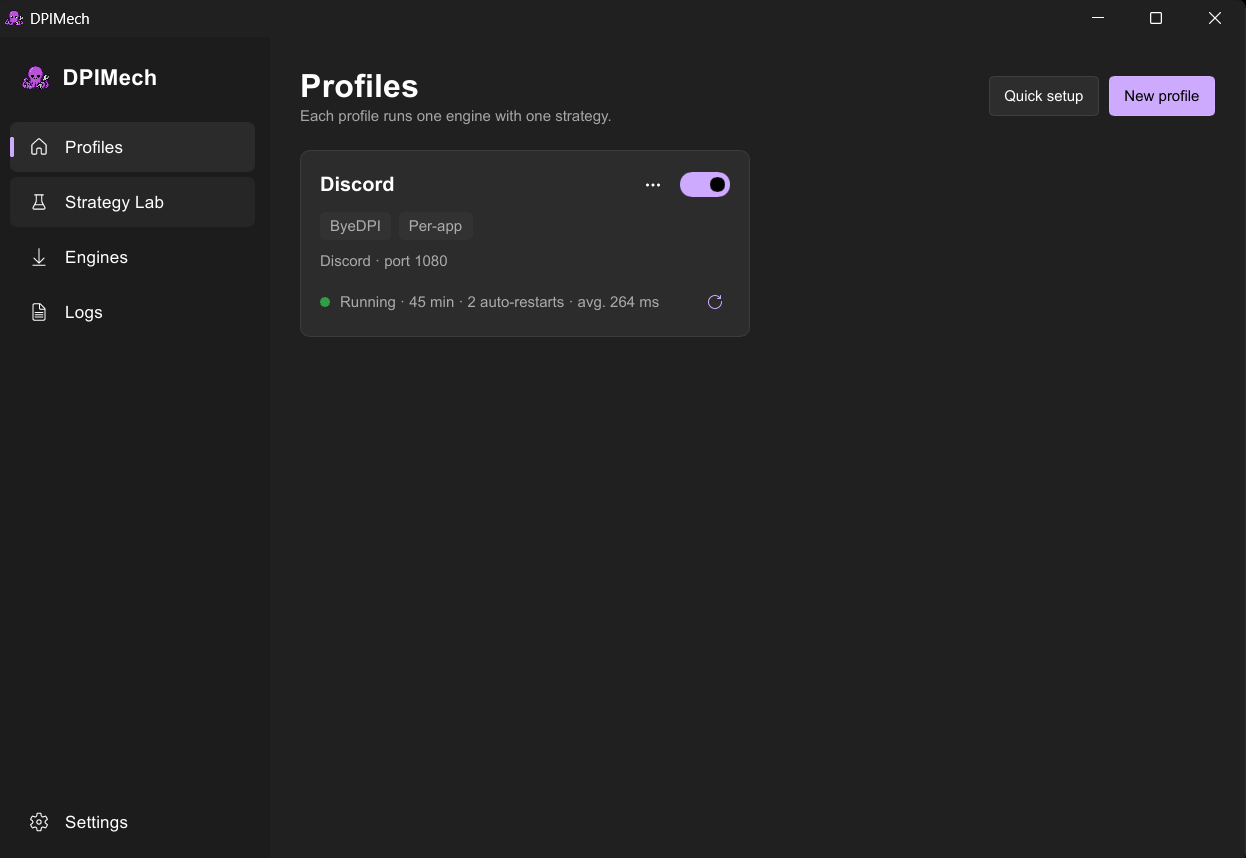
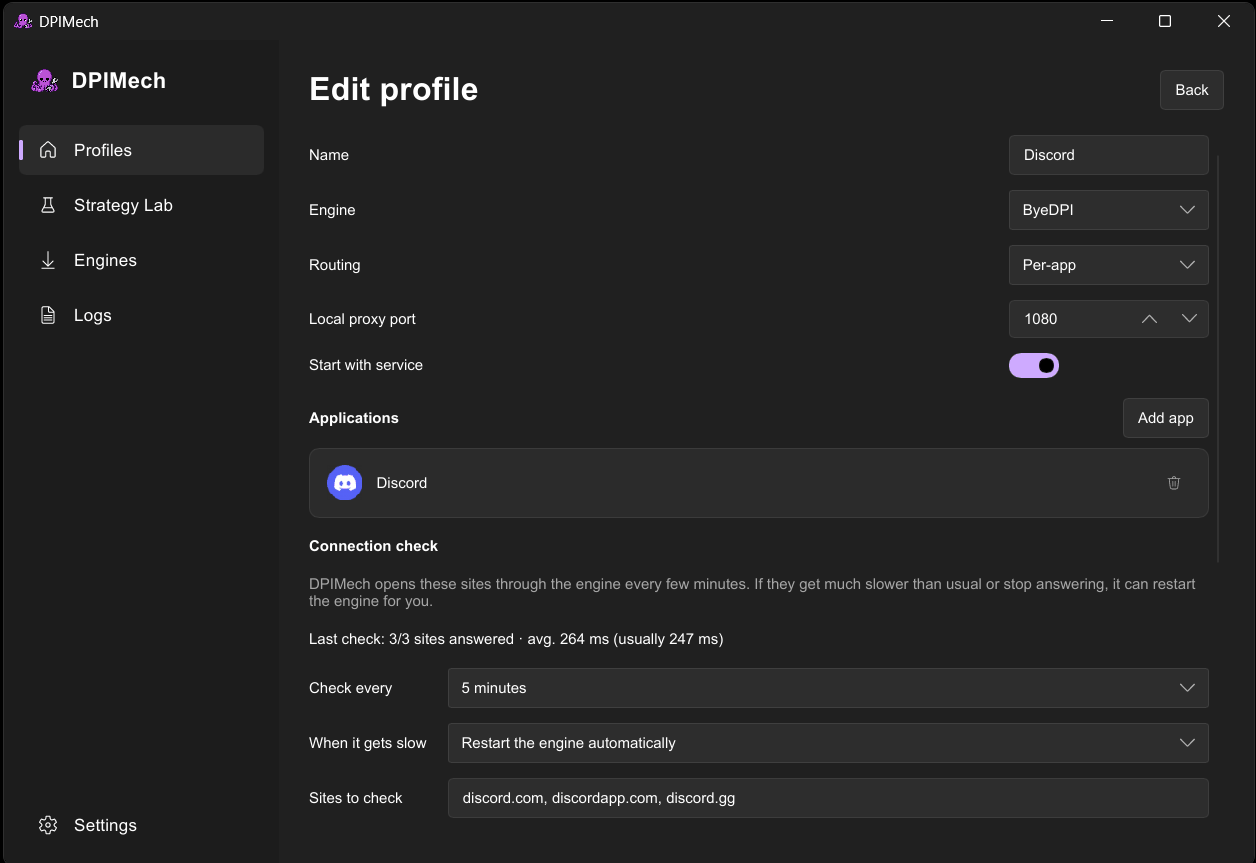
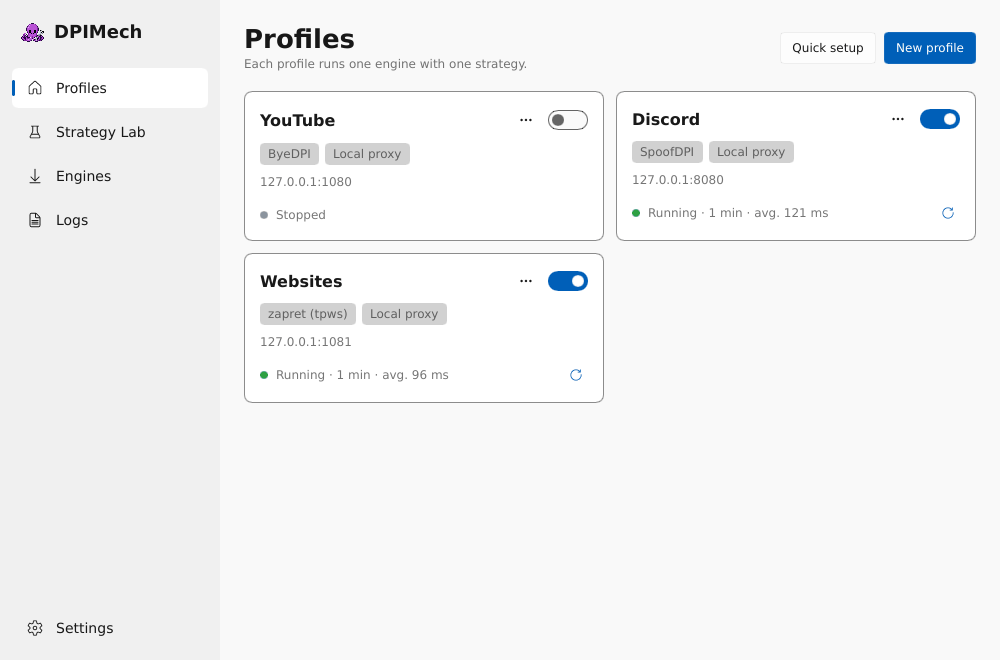
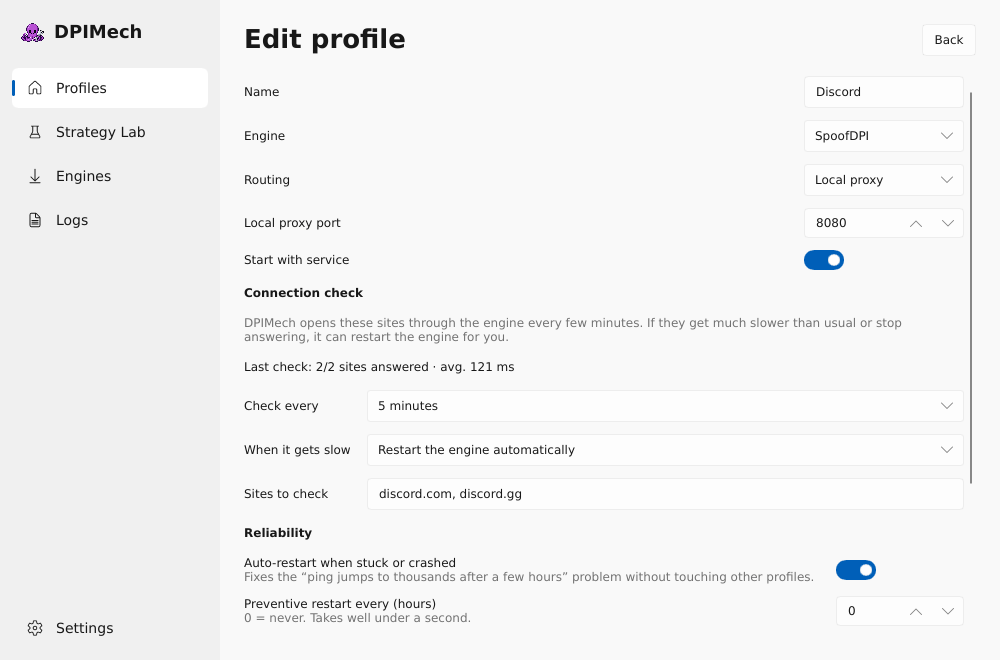
Some internet providers block sites and apps with DPI (deep packet inspection). Well-known open-source tools such as zapret, ByeDPI and GoodbyeDPI get around it, but they are command-line programs with lots of options. DPIMech installs them for you, finds settings that work on your connection and runs them in the background.
Not a VPN. Your traffic still goes straight to the sites. Nothing is sent through another server, so it stays fast, and nobody in the middle sees what you do.
- Setup wizard: pick what you want to open (Discord, YouTube, ...), it tests and saves a working setup.
- Only for chosen apps, or for the whole computer.
- Strategy Lab: tries many settings against real sites and ranks them.
- Tray icon, notifications, start with the computer.
- Small and native: no browser engine inside.
- English, Türkçe, Русский.
Screenshots
Which system can do what?
| Windows | Per app (ByeDPI + ProxiFyre) or whole computer (zapret, GoodbyeDPI). |
| Linux | Per app or whole computer (zapret nfqws / tpws, ByeDPI) with systemd and nftables. |
| macOS | Local proxy (tpws, ByeDPI) for apps and browsers you point at it. |
| Android | Per app through Android's VPN feature (ByeDPI), no root. DPIMech for Android. |
Is it safe?
- All code is open. Engines are downloaded from their official GitHub releases and checked against pinned SHA-256 hashes.
- The background service only starts programs from its own protected folder and checks every engine option against an allowlist.
- No accounts, no ads, no tracking.
- Antivirus programs sometimes flag DPI tools because they work on network packets. The app can add an exclusion for its engine folder if you ask it to.
Credits
The logo is by Kim De Vries, drawn by hand — no AI was used to make it.
DPIMech only manages these projects; the real work is theirs: zapret, ByeDPI, GoodbyeDPI, WinDivert, ProxiFyre. Made with Slint and Rust. Developed with AI assistance and tested by hand.
Found a bug? Open an issue or use Report a problem in the app.